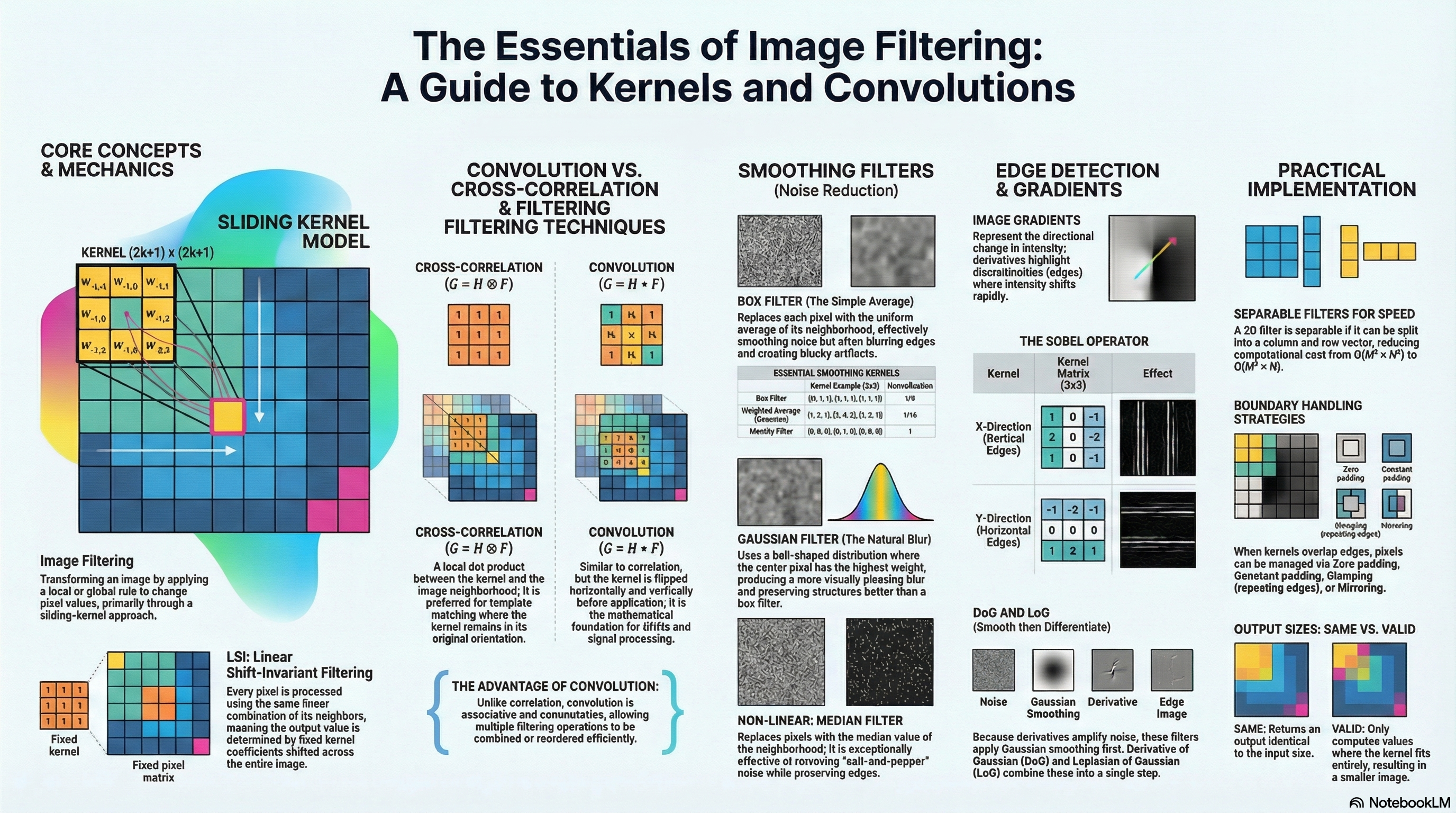
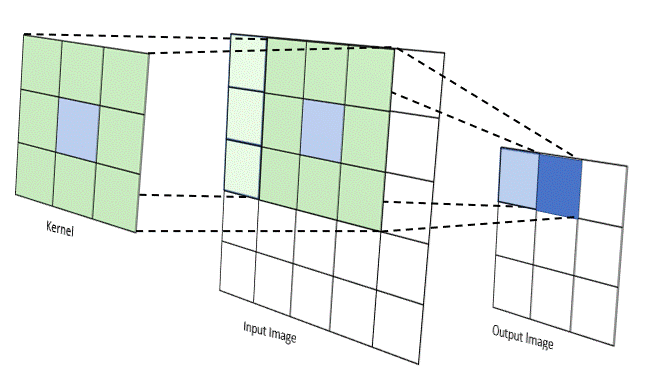
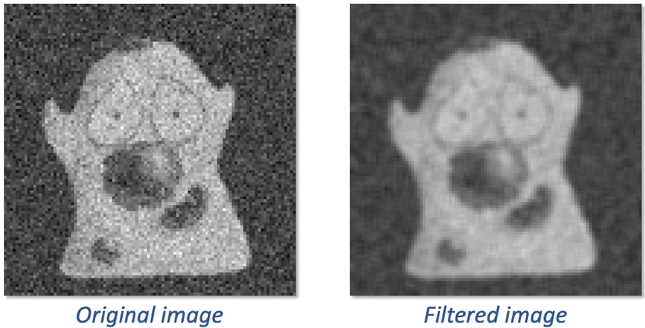
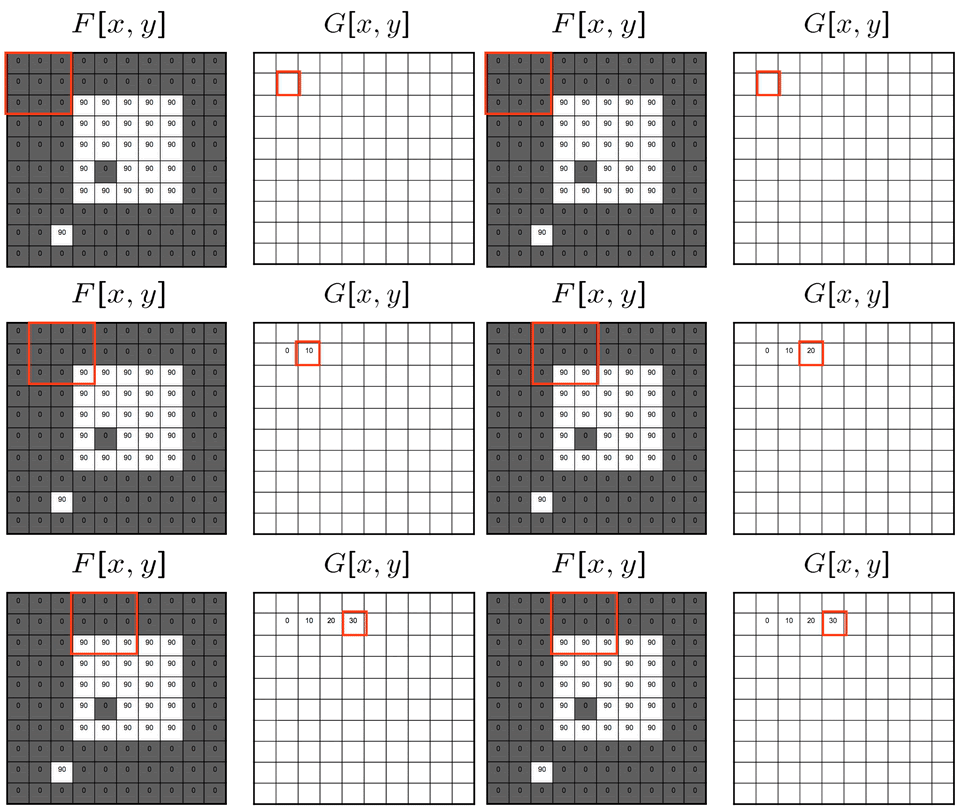
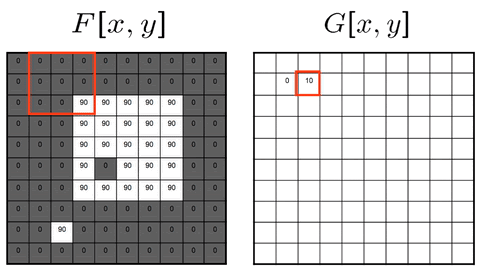
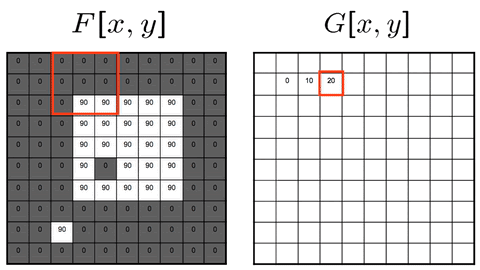
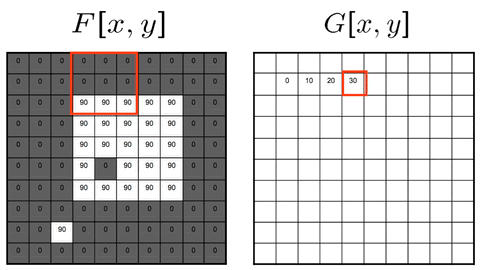
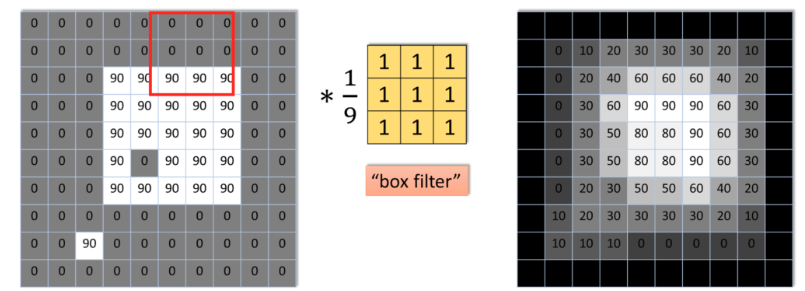
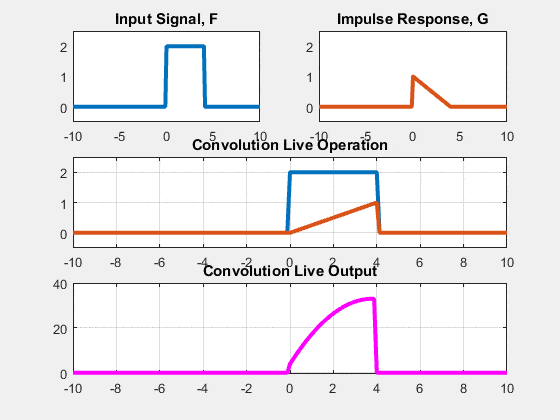
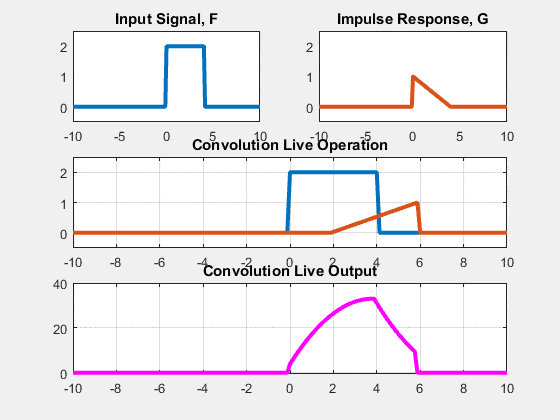
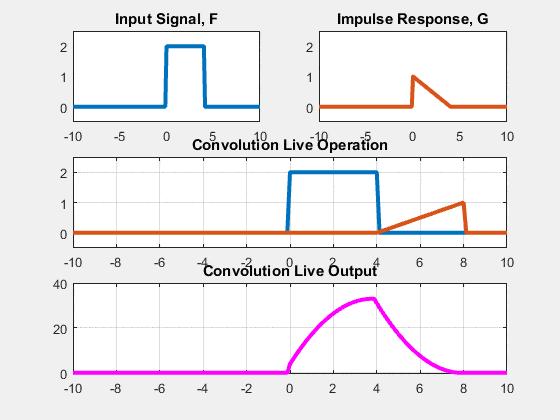
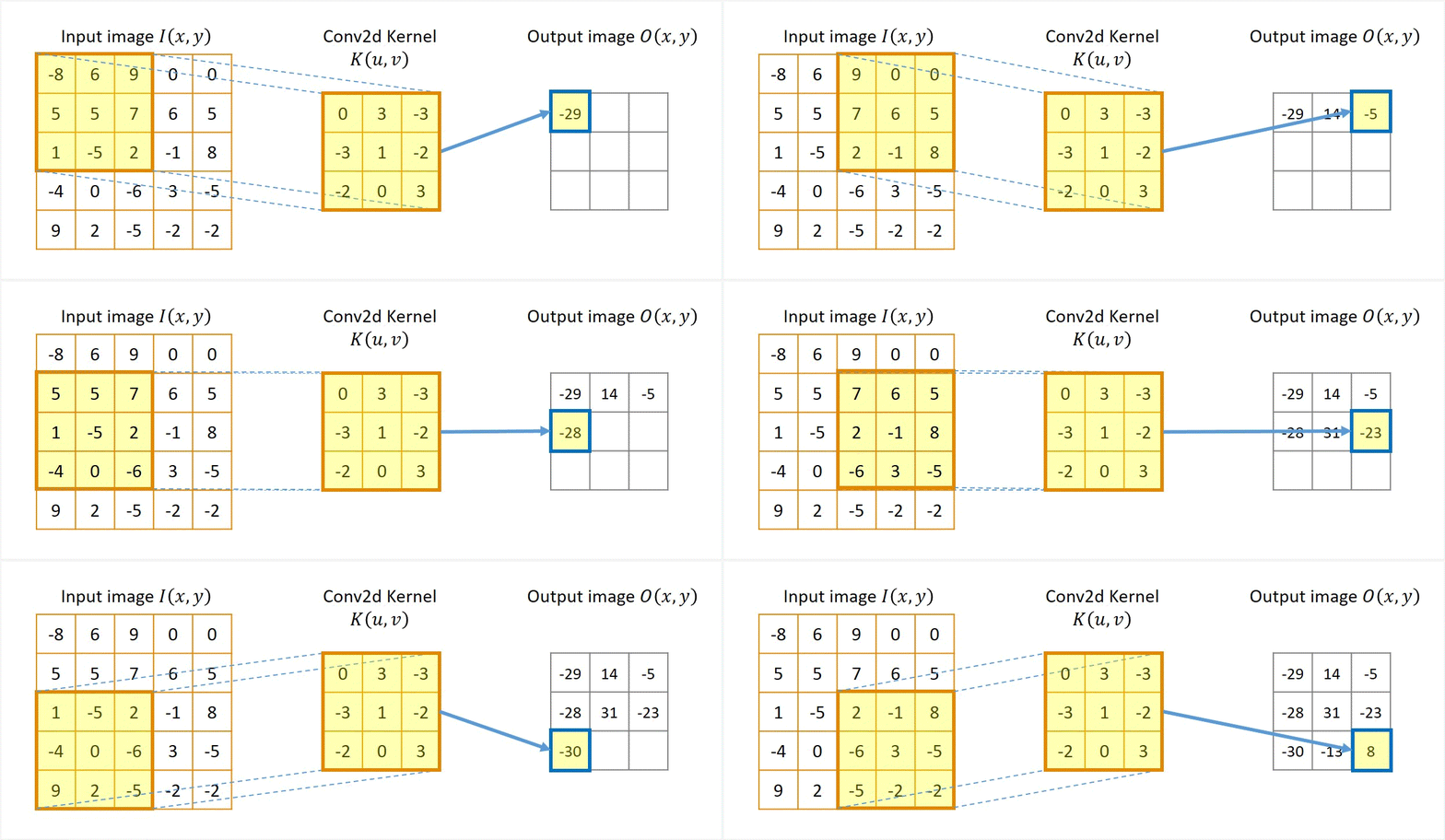
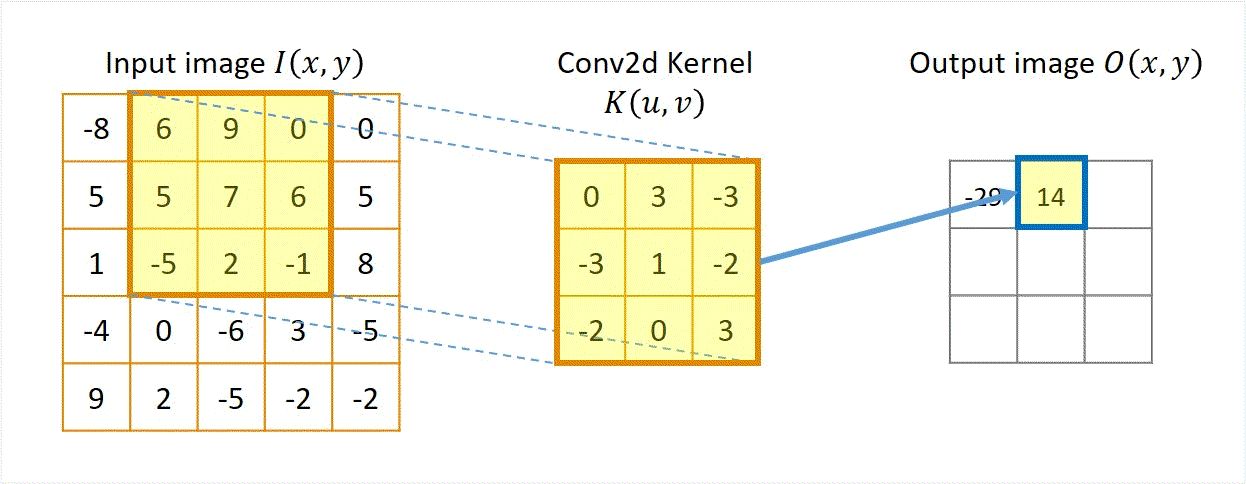
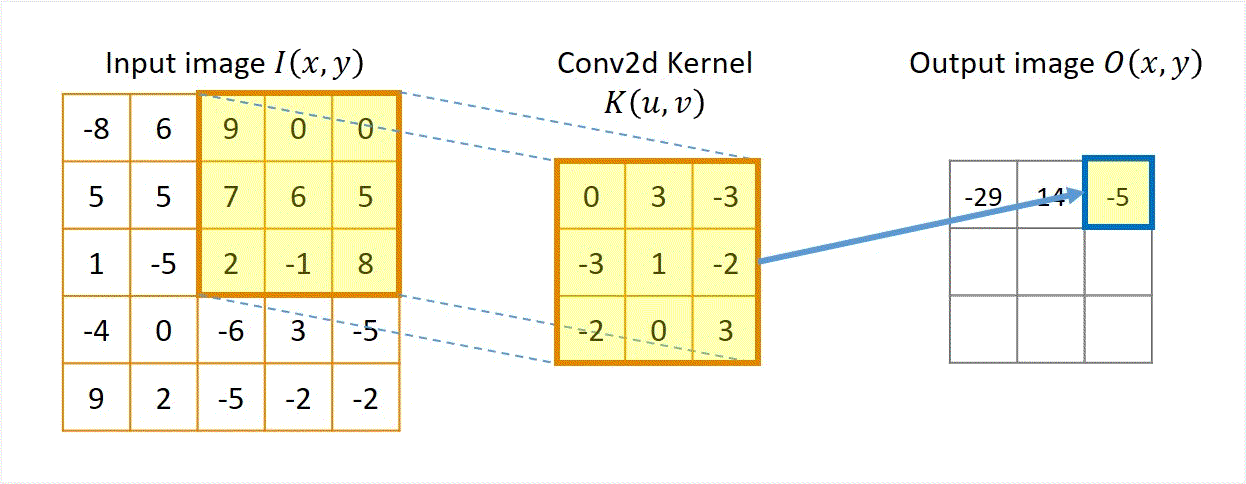
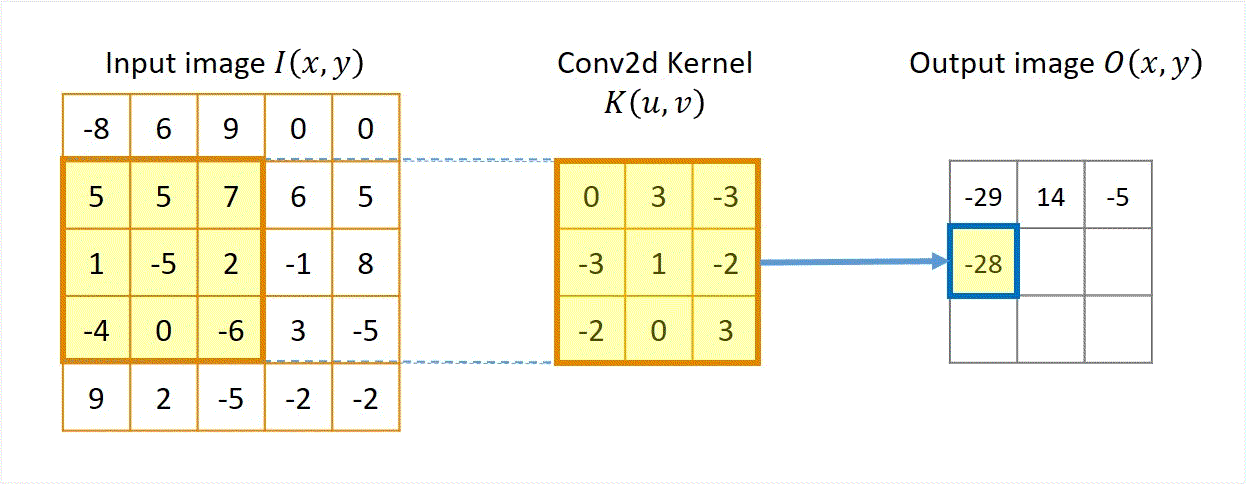
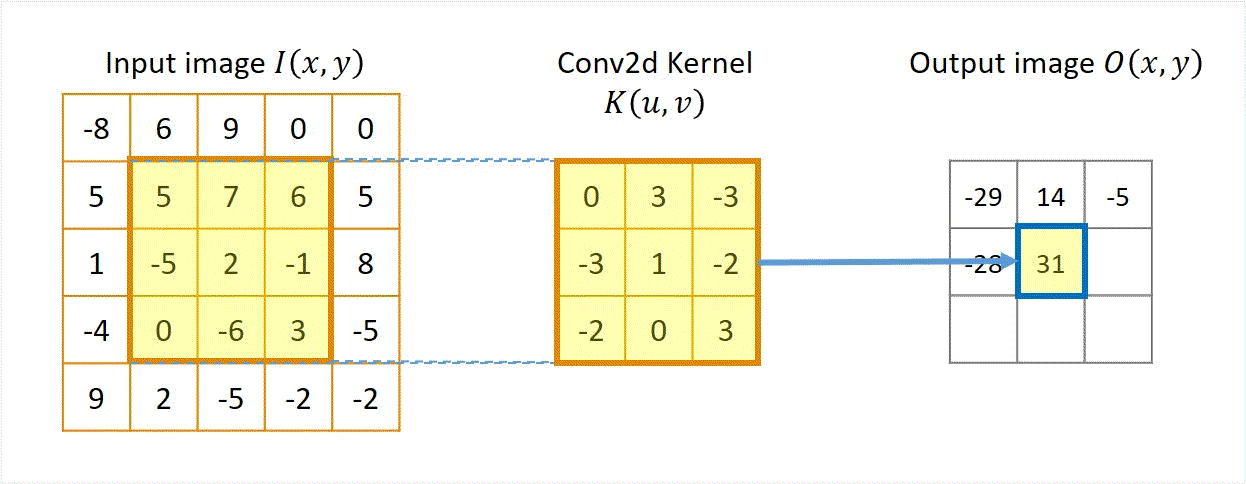
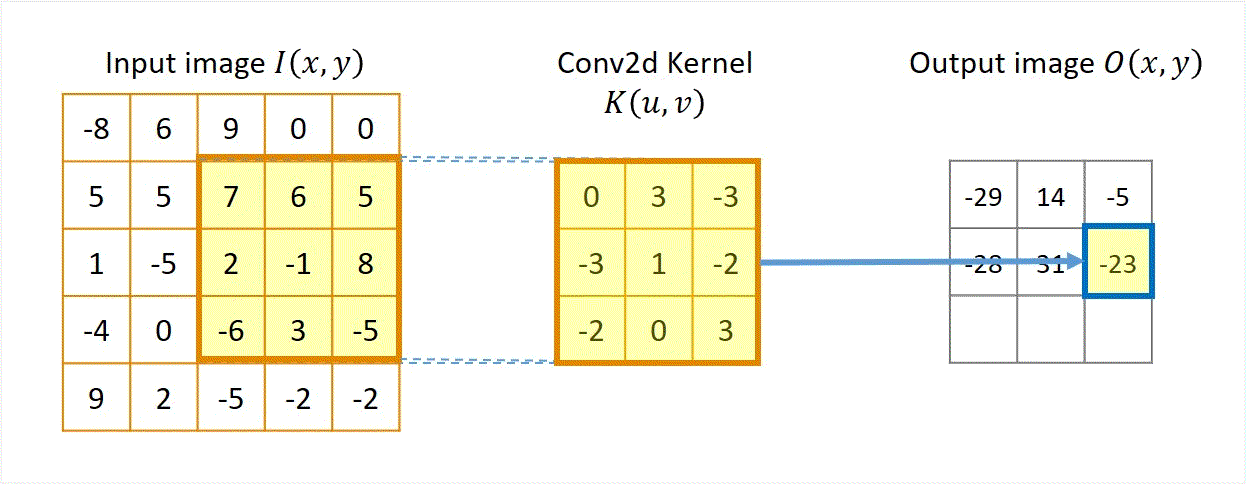
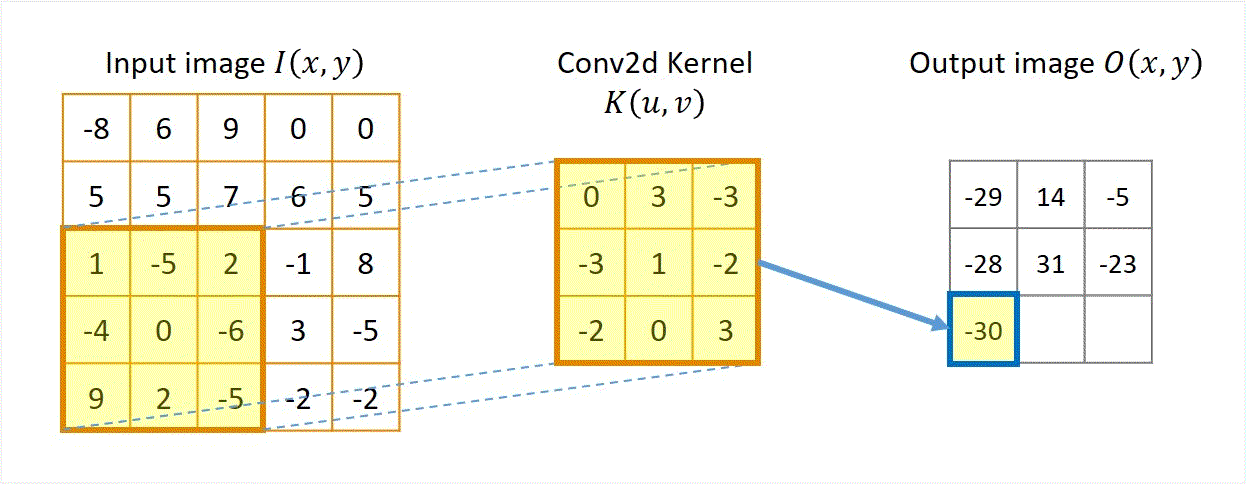
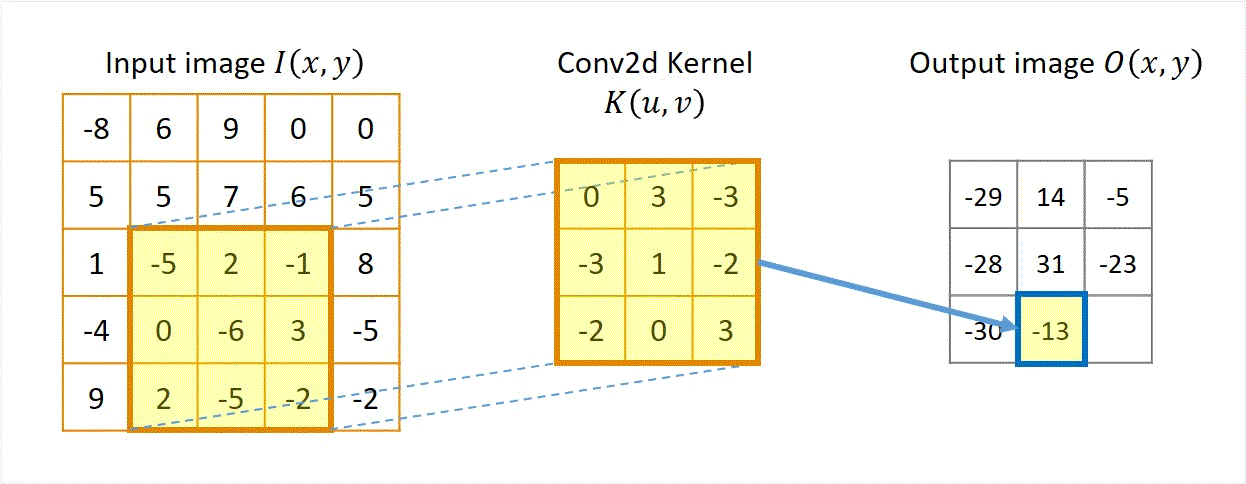
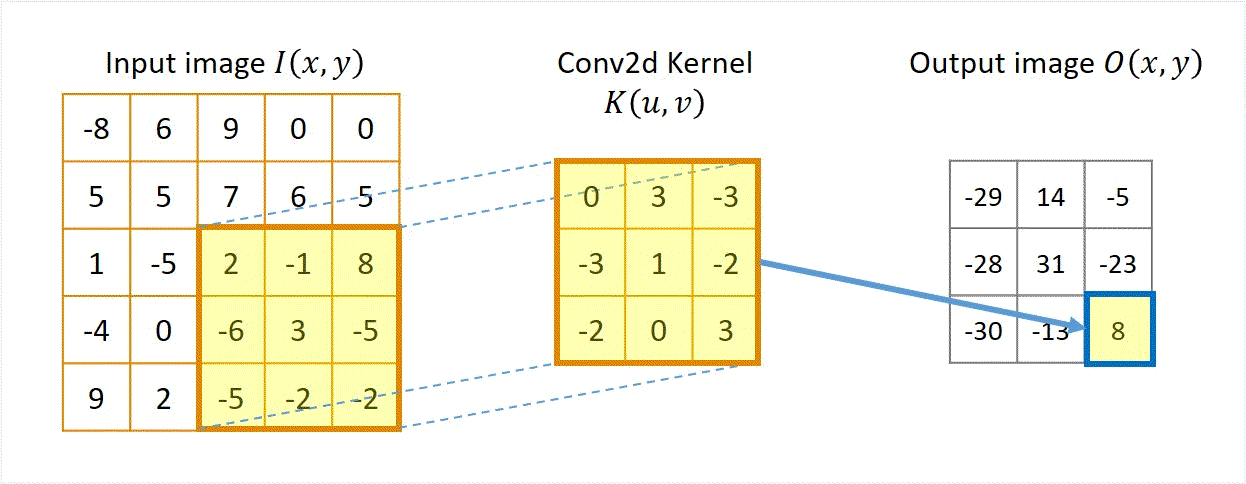
Two approaches: Sliding-kernel (kernel moves over every pixel — the main focus) and segmentation-based (partition into regions first). Sliding-kernel is the foundation of classical methods AND CNNs.
LSI filtering — the core model
g[m,n] = Σ_(k,l) h[k,l] · f[m+k, n+l]
f = input image
h = kernel (filter weights)
g = output image
Linear: output is weighted sum of neighbors
Shift-invariant: same kernel applied at EVERY pixel location
Why CNNs matter here: Convolutional layers in CNNs ARE learned LSI filters. Understanding kernel sliding is the basis for understanding CNNs.
Kernel size convention: (2k+1) × (2k+1)
k=1 → 3×3
1 pixel radius. 9 neighbors.
k=2 → 5×5
2 pixel radius. 25 neighbors.
k=3 → 7×7
3 pixel radius. 49 neighbors.
Separable filters — computational efficiency
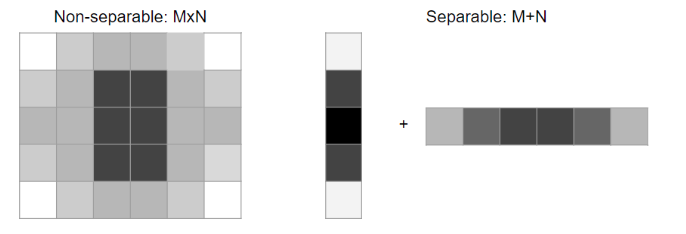
A 2D filter is separable if it can be factored as the outer product of a column vector and a row vector.
Instead of performing a full 2D convolution, we can split it into two consecutive 1D convolutions: convolve vertically with the column filter, then convolve the result horizontally with the row filter.
Factoring Equation:
H = v · wᵀ (where v is a column vector N×1, and wᵀ is a row vector 1×N)
2D Convolution Separation (Associativity):
G = H ⋆ F = (v · wᵀ) ⋆ F = v ⋆ (wᵀ ⋆ F)
Computational Complexity:
Non-separable cost: O(M² × N²) — N² multiplications per pixel
Separable cost: O(M² × 2N) — 2N multiplications per pixel
Example (N = 15 kernel):
Non-separable: 225 multiplications/pixel
Separable: 30 multiplications/pixel (7.5× computational speedup!)
Gaussian Filters: 2D Gaussian kernels are mathematically separable, which makes them highly efficient to compute even for large standard deviations.
Boundary handling options
Strategy
What it does
Pros & Cons (Use when)
Zero padding
Outside pixels are set to 0
Simple, but introduces dark border artifacts as the black boundary pulls down intensity values during averaging.
Clamp/replicate
Repeat the nearest edge pixel values outward
Avoids dark border artifacts by extending the border intensity value. Good default.
Mirror/reflect
Reflect pixels symmetrically across the boundary
Creates a smooth, continuous transition without discontinuities at the boundary. Preferred for derivative filters.
Wrap/toroidal
Loop image coordinates around (left connects to right)
Assumes periodic signals. Ideal for Fourier/frequency-domain analysis.
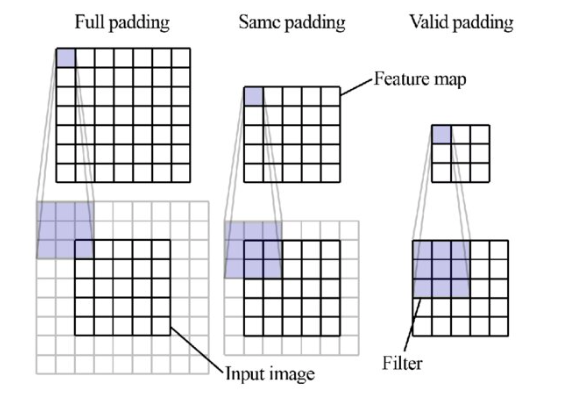
Output size modes
Full
All overlaps including beyond edges
Larger than input
Same
Output = same size as input
Requires padding
Valid
Kernel fully inside image only
Smaller than input
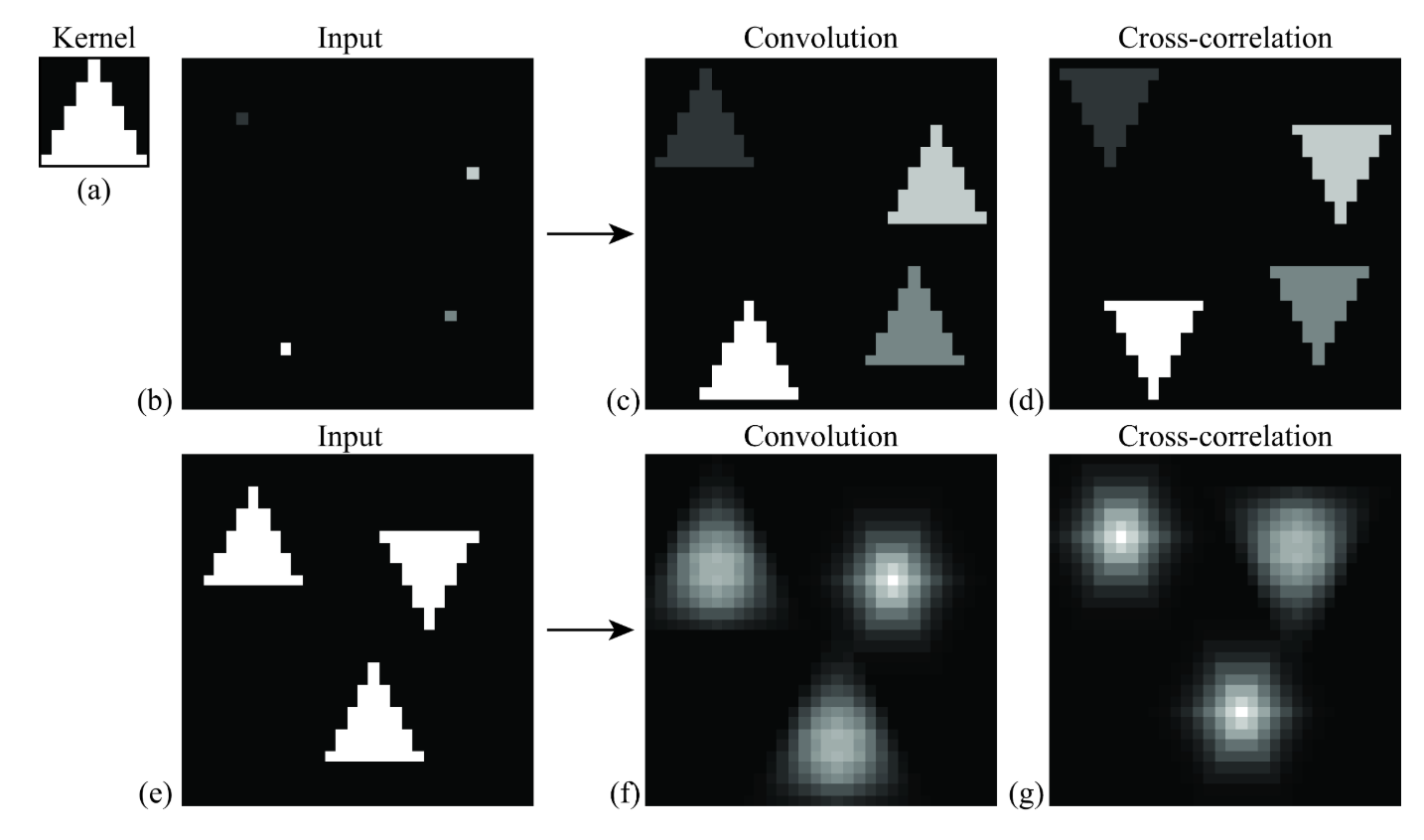
Cross-correlation
G[i,j] = Σ_(u=−k to k) Σ_(v=−k to k) H[u,v] · F[i+u, j+v]
Compact: G = H ⊗ F
Where:
(i, j) = target output pixel coordinate in the image
(u, v) = relative kernel coordinate from the center
H[u, v] = kernel coefficient at index (u, v)
F[i+u, j+v] = neighboring pixel value in original image
Key Property & Use Case
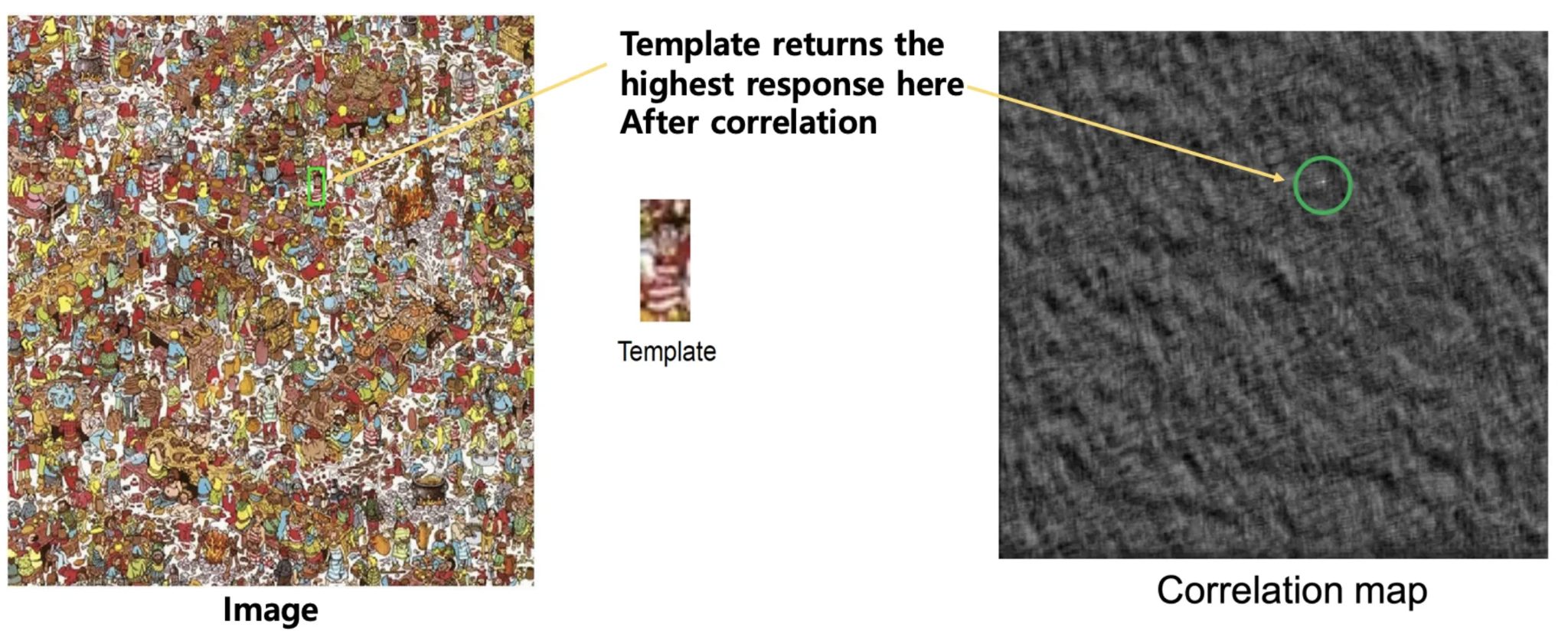
The kernel is used in its original orientation. The output responds strongly at coordinates where the local image region matches the kernel pattern. Ideal for template matching and similarity measurement.
Convolution
G[i,j] = Σ_(u=−k to k) Σ_(v=−k to k) H[u,v] · F[i−u, j−v]
Compact: G = H ⋆ F
Kernel flipping behavior:
H_flipped[u, v] = H[−u, −v] (mirrored horizontally and vertically)
Key Property & Use Case
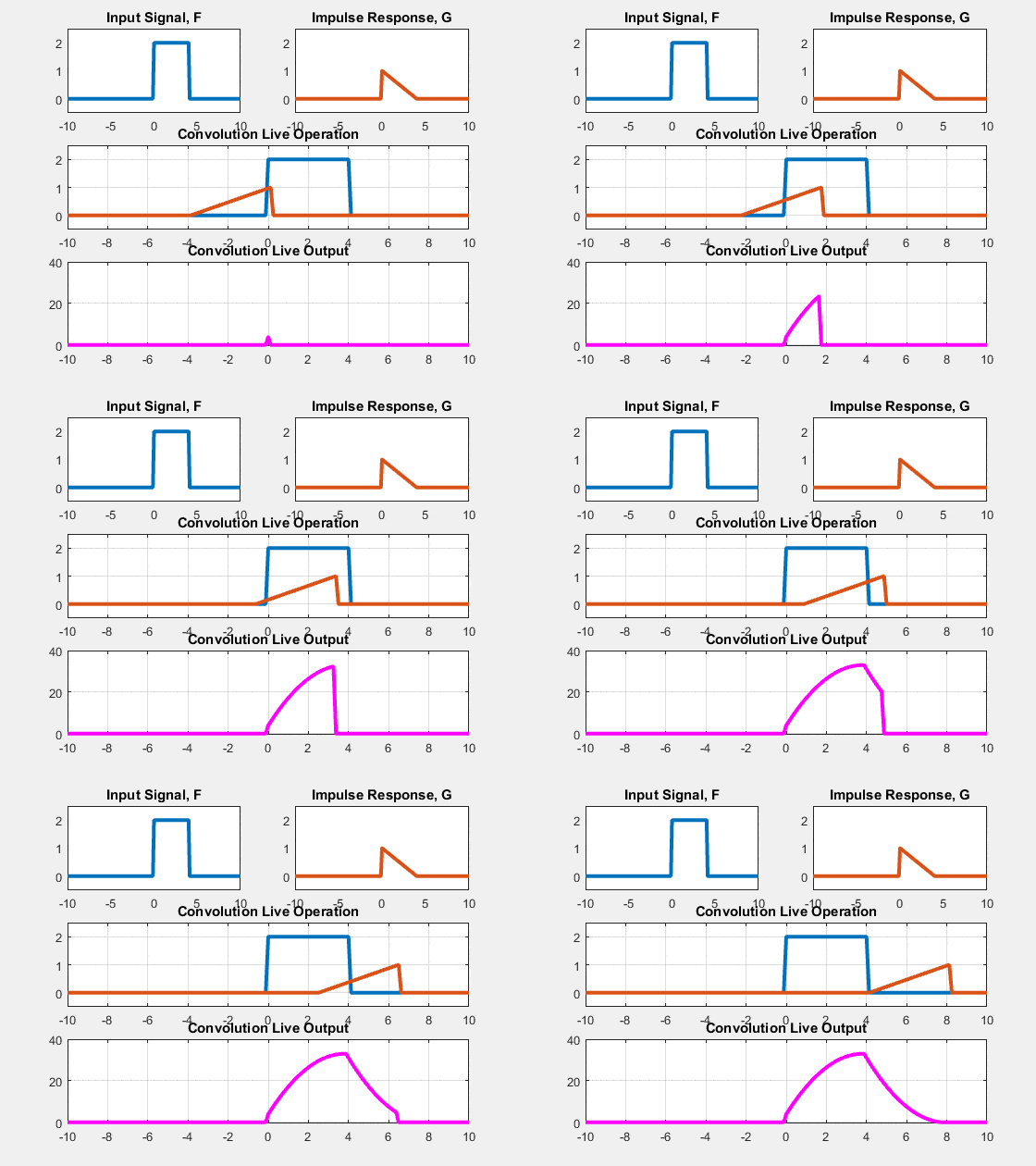
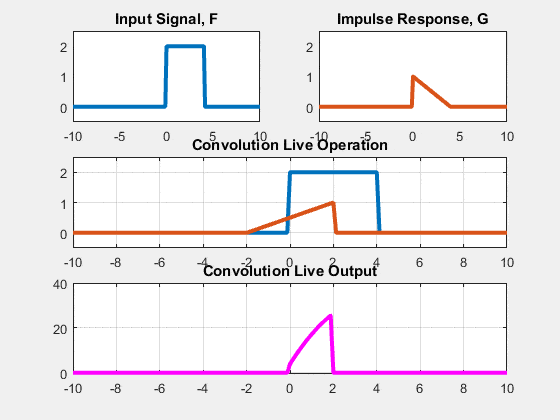
The kernel is flipped 180° (both rows and columns reversed) before computing the dot product. This is the standard operator in signal processing, filter analysis, and CNN layers.
Kernel flipping — the only difference
Original kernel
a
b
c
d
e
f
g
h
i
Flipped kernel (for convolution)
i
h
g
f
e
d
c
b
a
When are they identical? When the kernel is symmetric (rotationally symmetric around the center) — e.g. Gaussian, box filter, Laplacian. For asymmetric kernels (e.g. Sobel, directional edge filters) convolution and correlation produce different outputs.
Why convolution matters more (algebraic properties)
Cross-correlation properties
Does NOT support associativity.
Does NOT support commutativity.
Matching is intuitive but mathematically less convenient for chaining.
Convolution properties
Commutative: f ⋆ h = h ⋆ f
Associative: (f ⋆ h₁) ⋆ h₂ = f ⋆ (h₁ ⋆ h₂)
Distributive: f ⋆ (h₁ + h₂) = (f ⋆ h₁) + (f ⋆ h₂)
Associativity Example:
Apply Gaussian blur then derivative:
(G ⋆ I) derivative = (∂G/∂x) ⋆ I
This allows pre-combining multiple filters into a single combined kernel. DoG (Difference of Gaussians) is a direct practical application of this.
Special kernel behaviors
Identity kernel
0
0
0
0
1
0
0
0
0
Output = exact copy of input
Shift left kernel
0
0
0
1
0
0
0
0
0
Output = input shifted left by 1px
Sharpening kernel
−⅑
−⅑
−⅑
−⅑
+⁸⁄₉
−⅑
−⅑
−⅑
−⅑
2×identity − box. Enhances edges.
Box filter (mean/average)
3×3 box kernel (×1/9)
1
1
1
1
1
1
1
1
1
Box filter properties
All weights inside the kernel window are equal (uniform averaging).
Blurs noise but also strongly blurs sharp structural edges.
Frequency response has a sharp cut-off, causing blocky artifacts.
Kernel is scaled by 1/(kernel area) so weights sum to exactly 1.
Gaussian filter
3×3 Gaussian kernel (×1/16)
1
2
1
2
4
2
1
2
1
Gaussian filter properties
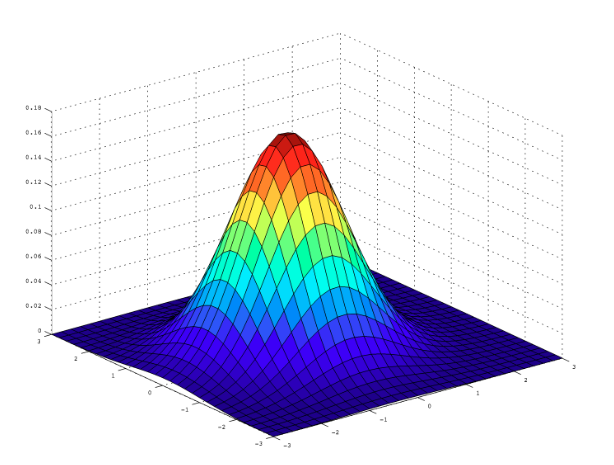
Center pixel receives largest weight; decay follows 2D normal curve.
Separable → vertically then horizontally convolved.
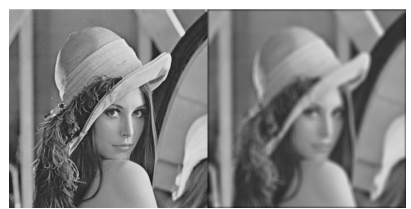
Symmetric and isotropic: smooth blur with no blocky artifacts.
σ controls the spatial spread (wider window needed for large σ).
The impulse response is the output produced by the filter when the input is a single isolated bright pixel (analogous to a Dirac delta in continuous signals).
Box filter response: Spreads the energy uniformly inside a finite square window. It has a sharp spatial cut-off, causing blocky, unnatural ringing artifacts.
Gaussian filter response: Spreads the energy smoothly. The weights decay gradually with distance from the center, producing a natural-looking blur and fewer artifacts. This makes it far more stable as a pre-smoothing filter before gradient edge extraction.
Non-linear filters
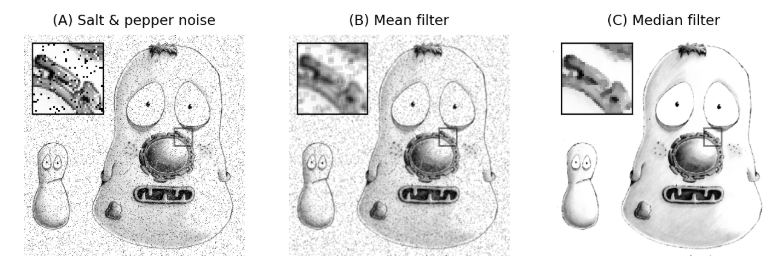
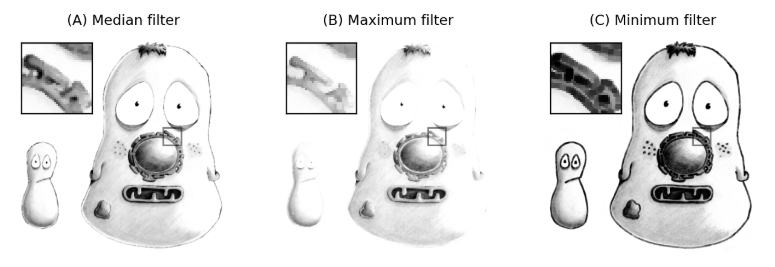
Median filter
Sort neighborhood pixel values, take the median.
Excellent for salt-and-pepper / impulse noise.
Outlier pixels are completely ignored by the median sorting.
Preserves sharp edges better than linear mean filters.
Strictly non-linear: output is not a weighted sum.
Dilation (max filter)
Replace center pixel with neighborhood MAX.
Expands and grows bright regions in the image.
Core operator of mathematical morphology.
Used for shape-based structural processing.
Erosion (min filter)
Replace center pixel with neighborhood MIN.
Shrinks and erodes bright regions.
Core operator of mathematical morphology.
Used for shape-based structural processing.
Median vs Gaussian noise handling: Gaussian filters are best for general additive Gaussian noise. Median filters are specifically designed for salt-and-pepper / impulse noise where outliers are extreme (0 and 255). A mean filter would average the outlier in, blurring the corruption across the entire window, whereas a median filter completely rejects it.
Noise types and best filter
Noise type
Description
Best filter
Gaussian noise
Normal-distributed intensity variation
Gaussian / box filter
Salt-and-pepper
Random black and white pixels
Median filter
Impulse noise
Random bright (white) pixels only
Median filter
Why derivatives detect edges
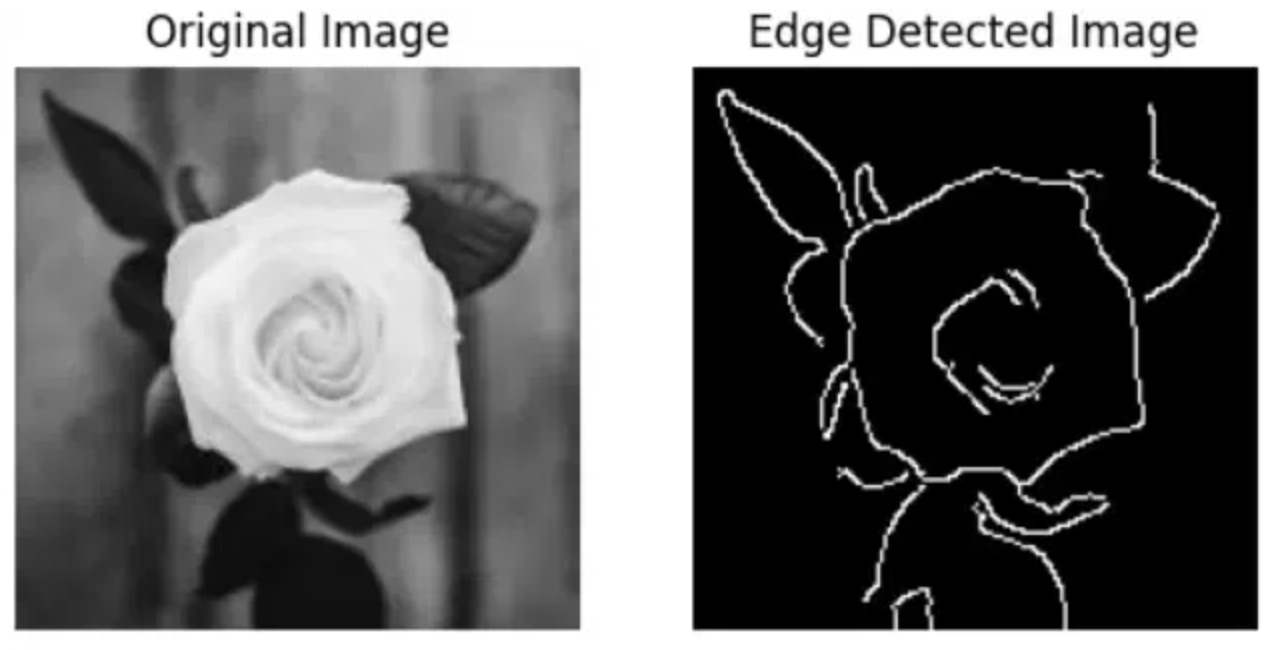
Edges correspond to sudden, rapid changes in image intensity. In mathematical terms, edges represent discontinuities, which can be highlighted by computing spatial derivatives (gradients), as derivatives become very large at these transitions.
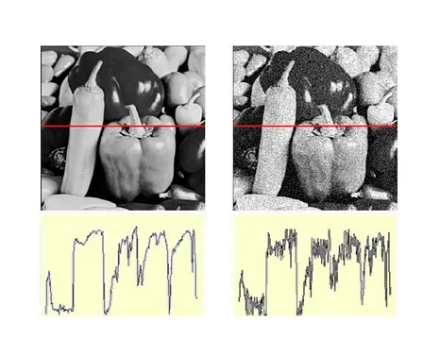
Discrete Differentiation is Sensitive to Noise: Even tiny random intensity fluctuations (noise) produce large derivative spikes. To prevent this, the standard pipeline is: SMOOTH first, then DIFFERENTIATE. Pre-smoothing with a Gaussian filter suppresses noise before gradient calculation.
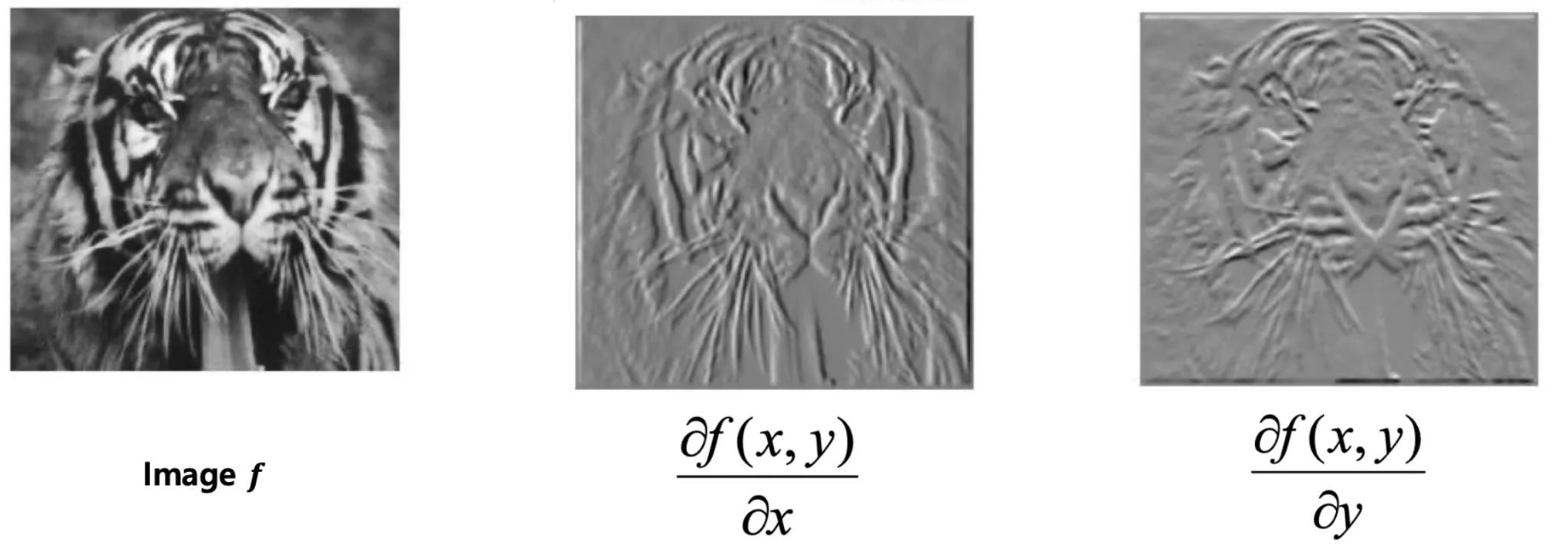
Why derivative images look "embossed"
The derivative measures the directional change of intensity. Smooth regions with little change appear grey/neutral. Edges produce bright positive responses (transitioning from dark to bright) or dark negative responses (transitioning from bright to dark). This highlights boundaries like raised reliefs, giving the output an embossed appearance.
Sobel filter — directional first derivative
Smoothing + Differentiation Combined
The Sobel filter computes the directional gradient at each pixel while incorporating smoothing in the orthogonal direction to improve stability against noise.
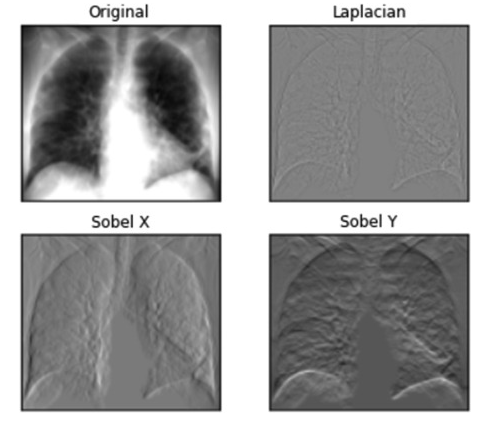
CRITICAL EXAM CONCEPT: Direction of Detection vs. Direction of Edge • The horizontal gradient kernel $G_x$ detects changes in the horizontal direction ($x$), which means it detects vertical edges (left-right transitions).
• The vertical gradient kernel $G_y$ detects changes in the vertical direction ($y$), which means it detects horizontal edges (top-bottom transitions).
Horizontal Gradient Gₓ (Vertical Edges)
+1
0
−1
+2
0
−2
+1
0
−1
Vertical Gradient G_y (Horizontal Edges)
−1
−2
−1
0
0
0
+1
+2
+1
Why the 2s in Sobel?
Each kernel is a convolution of a derivative and a smoothing vector:
Convolve image directly with the derivative of a Gaussian kernel.
Saves one filtering pass via associativity.
Responds strongly to directional edges.
Laplacian of Gaussian (LoG)
Second derivative operator.
∇²(G ⋆ I) = (∇²G) ⋆ I
Convolve image directly with the second spatial derivative (Laplacian) of a Gaussian.
Isotropic: responds equally to transitions in all directions.
Best for edge detection and blob detection.
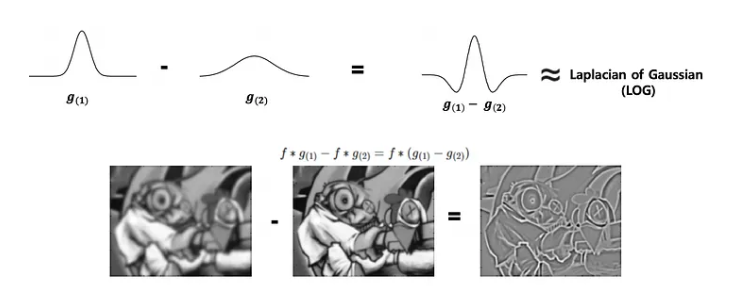
DoG as approximation to LoG
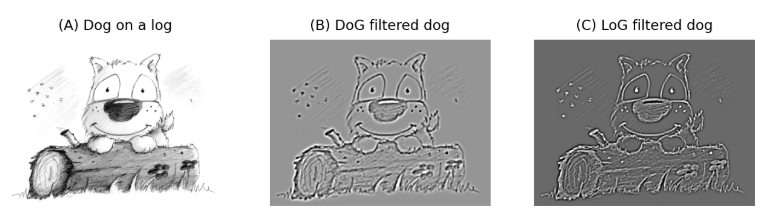
Difference of Gaussians (DoG) ≈ LoG
Subtracting two Gaussian-blurred versions of an image at different scales ($\sigma_1$ and $\sigma_2$) closely approximates the second derivative of the Laplacian of Gaussian:
DoG = G(σ₁) − G(σ₂) (where σ₁ ≠ σ₂)
This is highly preferred in practice because subtracting two blurred images is computationally much faster than computing a full LoG kernel. It is a core step in keypoint detection for SIFT (Scale-Invariant Feature Transform).
Edge detection filter comparison
Filter
Derivative order
Direction
Noise handling
Best for
Sobel
1st
X or Y (directional)
Built-in smoothing orthogonal to derivative
Edge direction, gradient magnitude maps
DoG
1st
Directional derivative
Sizable Gaussian pre-smoothing
Scale-space edges, SIFT descriptor keypoints
LoG
2nd
All directions (isotropic)
Sizable Gaussian pre-smoothing
Isotropic edge extraction, blob detection
Key pipeline reminder: Derivatives amplify noise. Always apply Gaussian smoothing before taking derivatives, or combine both into a single step convolving with derivative-of-Gaussian or Laplacian-of-Gaussian kernels to preserve computational efficiency.
Convolution step-by-step calculator
Enter a 5×5 image patch and a 3×3 kernel. Computes the correlation output at the center pixel.
Image patch (5×5) — center pixel is highlighted
Kernel (3×3) — select preset or edit values
Separability cost calculator
Image size M×M1000
Kernel size N×N15
Sobel gradient magnitude demo
Enter 3×3 image patch. Computes Gₓ, G_y, and gradient magnitude at center pixel.
Visual Cheat Sheet Summary
50-Question Practice Quiz
This comprehensive practice quiz contains 50 multiple-choice questions loaded directly from the lecture database.
Score: 0 / 0 answered
25-Question True/False Practice
Answer each statement, reveal optional hints, and review the explanation after submitting.
Figures Extracted from the Original Lecture Document
These figures are preserved in their original document order as a complete visual reference. Captions identify the source part and figure number; explanatory text remains in the study-guide sections.
Lecture 5 — original figure 1Lecture 5 — original figure 2Lecture 5 — original figure 3Lecture 5 — original figure 4Lecture 5 — original figure 5Lecture 5 — original figure 6Lecture 5 — original figure 7Lecture 5 — original figure 8Lecture 5 — original figure 9Lecture 5 — original figure 10Lecture 5 — original figure 11Lecture 5 — original figure 12Lecture 5 — original figure 13Lecture 5 — original figure 14Lecture 5 — original figure 15Lecture 5 — original figure 16Lecture 5 — original figure 17Lecture 5 — original figure 18Lecture 5 — original figure 19Lecture 5 — original figure 20Lecture 5 — original figure 21Lecture 5 — original figure 22Lecture 5 — original figure 23Lecture 5 — original figure 24Lecture 5 — original figure 25Lecture 5 — original figure 26Lecture 5 — original figure 27Lecture 5 — original figure 28Lecture 5 — original figure 29Lecture 5 — original figure 30Lecture 5 — original figure 31Lecture 5 — original figure 32Lecture 5 — original figure 33Lecture 5 — original figure 34Lecture 5 — original figure 35Lecture 5 — original figure 36Lecture 5 — original figure 37Lecture 5 — original figure 38Lecture 5 — original figure 39